 Download App





Banking at
Your Fingertip.
No card. No PIN. No smartphone needed. Just your Aadhaar number and a fingerprint — access your bank account anywhere in India.
5 Lakh+
Agent Points
₹ Free
Basic Services
700+
Districts Covered

Account Holder
Ramesh Kumar
Aadhaar Linked Bank
State Bank of India
Last Transaction
Cash Withdrawal
Today, 10:42 AM
₹2,000
AVAILABLE SERVICES
Everything you need,
at the agent’s counter.
From withdrawals to transfers — all powered by your fingerprint. Feature availability may vary by bank and agent platform.

Cash Withdrawal
Withdraw cash from your Aadhaar-linked account at any authorized agent point — no ATM required.
Cash Deposit
Deposit funds directly into your bank account through a nearby banking correspondent.
Balance Enquiry
Check your current account balance instantly using just your Aadhaar number and biometric.
Mini Statement
View your last 5 transactions on-screen or as a printed receipt from the agent terminal.
Fund Transfer
Transfer money to another Aadhaar-linked account across any participating bank in seconds.
Biometric Auth
All transactions are protected by UIDAI biometric authentication — no passwords or PINs needed.
STEP-BY-STEP
How AEPS works.
A transaction takes under 60 seconds. No cards, no PIN, no internet on your phone — just you and your fingerprint.
Step 5 of 5
Collect Receipt
Take the printed receipt and check the SMS confirmation sent to your registered mobile number.
01
Visit an Agent
Locate an authorized banking correspondent or merchant offering AEPS services near you.
02
Provide Account Details
State your Aadhaar number (or virtual ID) and select your bank from the agent’s terminal.
03
Choose Transaction
Specify what you want — cash withdrawal, deposit, balance check — and the amount.
04
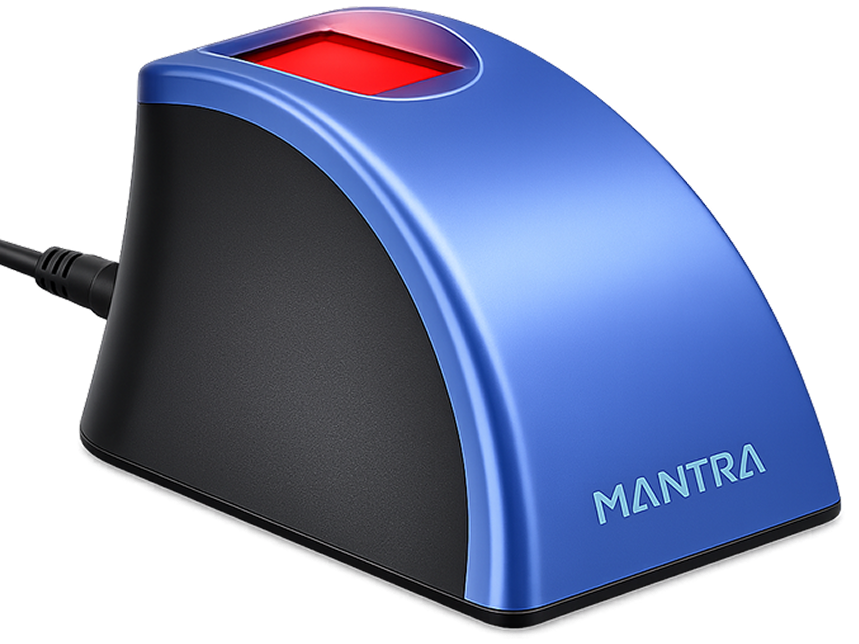
Biometric Scan
Place your finger or iris on the biometric reader. UIDAI authenticates you in seconds.
05
Collect Receipt
Take the printed receipt and check the SMS confirmation sent to your registered mobile number.
Stay protected,
every transaction.
Prerequisites
Aadhaar number linked to an AEPS-enabled bank account
Updated biometric records registered with UIDAI
Mobile number registered with your bank for SMS alerts
Safety Tips
Confirm the displayed amount before placing your finger on the scanner.
Never share your Aadhaar details or allow anyone to capture your biometric scan.
Lock your biometrics via the UIDAI portal or mAadhaar app when not in active use.
Report unauthorized debits to your bank immediately and call Cybercrime Helpline 1930.
FAQS
Common questions,
clear answers.
Do I need a PIN or OTP?
No. AEPS uses your Aadhaar number and fingerprint (or iris) for authentication. You don’t need a PIN, password or OTP to complete a transaction.
Are there transaction limits?
Yes. Limits are set by your bank and the agent platform, and usually apply per transaction and per day. Check with your bank for the exact figures.
What if my fingerprint fails to match?
Clean your finger and the scanner, then try again. If it keeps failing, try another finger or update your biometrics at an Aadhaar centre.
What if money is debited but no cash is dispensed?
Keep the receipt and report it to your bank right away. Failed transactions are normally reversed automatically within a few working days.
Which banks support AEPS?
Most major public, private and regional rural banks support AEPS. Your agent’s terminal shows the list of participating banks.
Is AEPS safe to use at retail shops?
Yes, when used with a registered agent. Always check the amount before scanning, never share your Aadhaar details, and lock your biometrics when not in use.
Ready to experience
banking simplified?
Find an AEPS-enabled banking correspondent near you and start transacting with just your Aadhaar and fingerprint.